Turning Passion to Profit?
Is it possible to monetize a passion and still keep the sanctity of this love intact? I’m going to find out as I take my first steps as an eBay (re)seller. You see, more often than not, when I visit a Ross Dress for Less store, I come across a pair of shoes that’s intriguing. The kicks may rekindle nostalgia, remembering them from back in the day. Or I could have missed out on them when they originally launched or there’s an interesting backstory to the shoe, or they just look cool. But historically, that’s where the story ended when I put the shoe back on the sales rack.
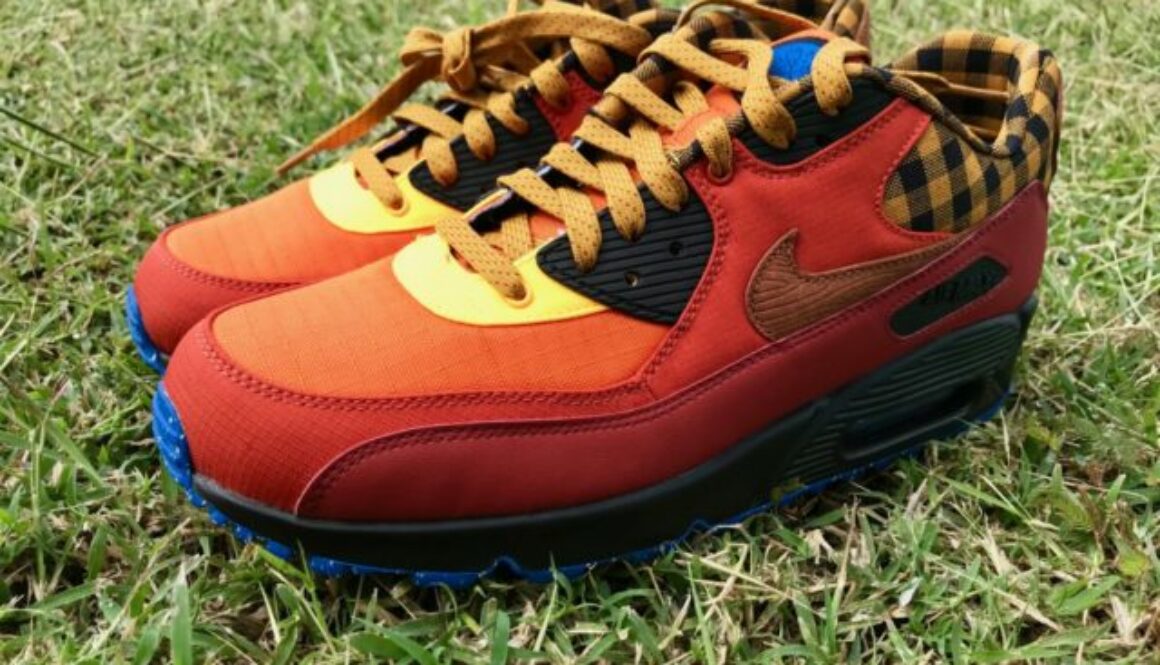
But now things are different. I’m actually buying these gems and then (hopefully) reselling them on eBay after learning about the shoe and possibly getting a new appreciation for them. Take these Air Max 90 from the Campfire Pack. Nope, I never heard of this series nor saw one before. But when I spied the colors at Ross, I knew I couldn’t leave them there. Yeah, they crazy, but they crazy good. Then you learn the Campfire Pack pays tribute to the creation of Nike’s All Conditions Gear (ACG) when legendary designers including Tinker Hatfield met for a true life camping trip.

Sure there’s not much difference in that I’m not actually collecting the shoe for personal reasons, but yet, having the shoe for longer than a moment feels like an elevated experience of satisfaction. After selling some of my older shoes as they fell out of my rotation, I realized that I don’t need them all, and I don’t have to let them sit deteriorating in the Hawaiian humidity.
Maybe my kicks perspective has changed with the rapid-fire nature of the modern day shoe game where new color ways and collaborations are released on seemingly a weekly basis. So a love for a shoe is probably more of an infatuation that will be soon replaced by another crush. But in all of this, getting a few bucks here and there can’t hurt right? I guess I also view this reselling as a curation of kicks for other shoe heads. I’m doing the finding so that they don’t have to. All they need to do is go to eBay and search for a wanted shoe, and hopefully I’m offering that match. I think that ease for the eBay seeker is worth the price differential aka my profit.
So we’ll see how this plays out. It’s surely not a stable affair since there’s no promise of any sort that Ross will have anything worthwhile. But the hunt has been fun, especially when you find something interesting like this Copper Flightposite. I originally thought Foamposite when seeing the silhouette and had forgotten that the Foamposite evolved to the Flightposite.

Stick with me as I explore this new fad, love, interest, adventure, and learning experience!


 And while you’re at the Apple Store, don’t look at different bands for the Apple Watch. Otherwise you might give in and get something like this deceiptively multi-colored
  For the badminton court that is. Yeah, tennis shoes are a better match for badminton, but we both know my love for basketball shoes runs deep. Gotta blame Nike and that guy named Jordan for this continued love affair. And besides, some tennis shoes look good but not as good as the variety of basketball shoes out there.

 So where does that leave me in my search for a replacement badminton shoe? My own collection. A while back during a Nike clearance, I picked up the low version of the


 While I considered the new
  Adidas’ latest silhouette, the