W(TH) 100 Degrees?!?
Really, I think our car’s thermometer was trying to say WTH 100 degrees, not West 100 degrees.

Even at night, it’s still atsui.
Really, I think our car’s thermometer was trying to say WTH 100 degrees, not West 100 degrees.
Even at night, it’s still atsui.
What’s good at the Hawaii Kai Costco?
Lego Star Wars Microfighters in sets of three. Typically around $10 each, the set of three goes for $24.99. There are two different sets.

Motorola Surfboard Extreme cable modem SB6141. The cable modem I bought in 2013, but I remember paying more than $75. Looks like the white model from the box.

And if you lost anything while shopping, they have a lost and found box at Customer Service. Is that a gold Nintendo DS I spy?

Oh, and the Christmas stuff is starting to make an appearance…in September.
You stay be affluent so says Business Insider. This is from data taken between 2008 and 2012 for an area with more than 1000 residents. During this time, Maunawili residents had a median household income of $137,143, reportedly the highest in Hawaii.
Here’s my second set of tips focusing on food and dining while staying at the Disney Aulani.
Whoops, this post was in draft mode all this time, and I guess I forgot about it. So here it is nearly one year from my first set of Aulani tips.
Yes, the west side of Oahu is hot and dry, and you do need to stay hydrated. But this is the Disney Aulani where this basic necessity is provided to you. At the front check-in desk, you’ll immediately see the water containers perhaps with a fruity Mickey silhouette inside. Around the pool area, you’ll find more water dispensers brimming with ice cold water. These are out all day, constantly being replenished so you can always refill your own bottle or cup.

Tip: There’s also a water dispenser in the gym but that one does get empty often enough and while it’s there during the evenings, I believe it’s not available 24-hours like the workout facilities.
The kids meals are pretty sizable. All the food is on the more expensive side, but the variety and convenience cannot be beat. While at the pools, you are literally surrounded by dining facilities – upscale to locale kine snacks, you name it.
Eating every meal at the Aulani will add up costs quickly. If you don’t mind a short jaunt across the street, you’ll find several eateries that’s more affordable. Don’t expect bargain prices since the tourists and guests of the nearby hotels are still a captive audience, but the price break is worth it.
My suggestion, make at least one reservation at the Monkeypod Kitchen at Ko’olina. The place is trendy and hip and the food is tasty though for the more mature palettes. There are kid options though. Get there early for Happy Hour special but be wary of the crowds during this time.
Although Starbucks and Disneyland have recently partnered, you won’t find the Seattle siren at Aulani. For her caffeinated song, you have to go next door to the Ihilani. Starbucks has a small spot in the Ihilani lobby but with big prices. Don’t expect local neighborhood costs, get ready for premium prices, but hey, you’re on vacation so go ahead. You can earn Starbucks Reward stars though I very much doubt you can redeem them at this location. If you can, do that to save yourself from a $6 mocha (that’s a slight hyperbole).
All I can say is that buggah expensive. Convenient, yes, but not the best you can find. But then again, you would have to drive somewhere else for shave ice so if you want to splurge, you’ll at least save on driving.
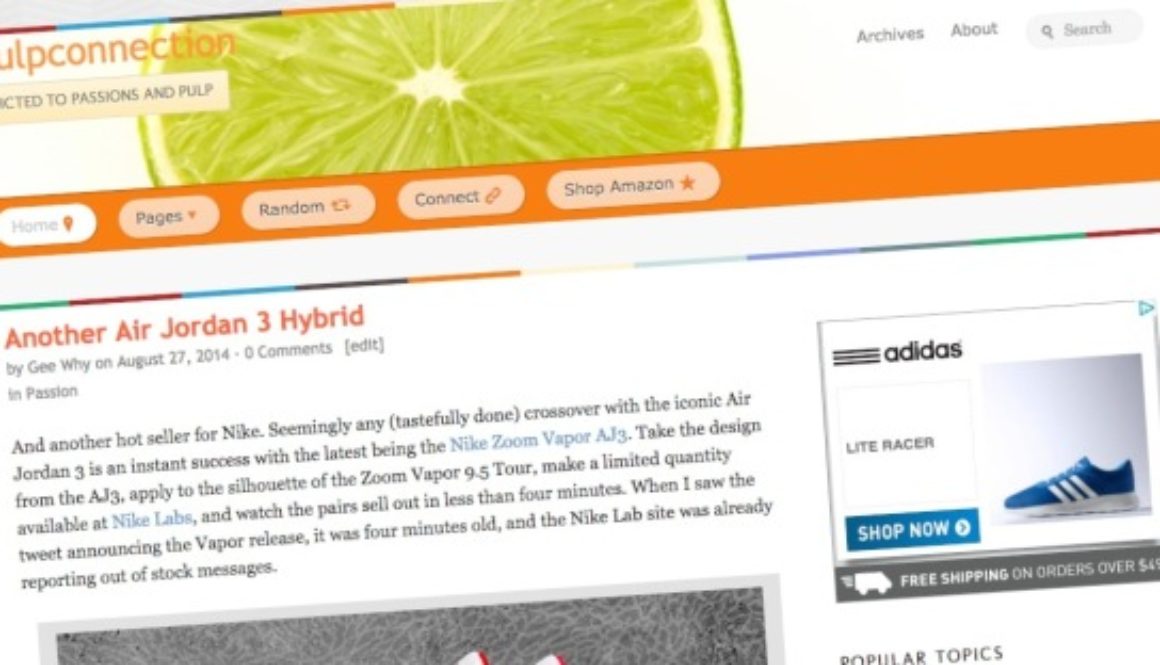
Notice anything different around here? Actually, Pulpconnection has been different since the end of August, but I just didn’t have the focus to summarize the changes. So on a quiet Sunday morning with a cup of Nespresso, I’m motivated to list the changes.
First and foremost, you’ll notice the new look of Pulpconnection. For years, I’ve used the Thesis theme then added the Chronicl look. This was a fun, playful combination.

While I’ve been a fan of the Thesis theme since 2009, I wanted a fresh new look. Thesis is still awesome, but I didn’t want to spend the time building my own look using Thesis 2. So while wandering around the web, I came across On Topic by WooThemes. What struck me about On Topics was its “bigness.” Everything looks so big and easy to see. This readability aspect was the biggest motivator to switch. I love my blogging bling, but all those widgets become distractions. I still have them, but they’re on the bottom of the page leaving you the readers a less cluttered view.
Along with widgets only in the footer, On Topic features a header that moves. On the home page, the “header” is vertical, but on posts and pages, the header goes horizontal, allowing for more space for content.
Customization of On Topic is available though much more limited that with Thesis. Thesis still provides way more options to customize aspects of your WordPress site. I’ll miss that about Thesis. WooThemes includes lots of Google fonts with On Topic though I’ve seen strange characters suddenly appear. Not sure what or why.
I also changed Pulpconnection’s home page to show excerpts of blog posts instead of full posts like before. I like the way On Topic displays its excerpts with the featured image. Sorry, you need to click on the Continue Reading button to see the full post.
I’ve changed up some of the menus since On Topic has less options for menus than Chronicl. I spent some time and filled out my Travels section including more trips from the past. I also started adding my annual Kicks Analysis series. The most interesting addition is in the Around Hawaii menu. Click on that to see a map of Hawaii along with geo-tagged Pulpconnection posts.
Yes, Pulpconnection now has one. See that 16×16 pixel image of oranges in your browser bar? That’s the favicon for Pulpconnection created with the Favicon Generator. The green limes weren’t recognizable in a favicon size so oranges it is.
Like I already mentioned, Pulpconnection is now using Dreamhost’s DreamPress managed service. For its price, I don’t how you can compete with a VPS. I could never afford the 1.5+ GB of memory consumed by this site.

To compound all the changes, WordPress 4 coincidentally released while all the above was going on. So why not make things harder? Yup, upgraded to WordPress 4.
As always, there are things to do. DreamPress includes Varnish, but I understand the simultaneous use of a caching plugin and Cloudflare is possible. Not sure if using all of these makes sense, so I’ll take this slow.
Lastly, I started looking into email subscription services. I haven’t made a choice yet since they’re different. WordPress’ JetPack includes an email subscription widget (which is in the footer) yet it doesn’t provide a simple URL link to sign up with. The venerable Feedburner has had email subscriptions forever and provides a link. Then there’s Tiny Letter. It’s like neither JetPack or Feedburner, allowing for email newsletters unrelated to blog posts. I’m gonna drag my feet on this one, trying to figure out the best pulpy answer.
And there we have all the changes making the new look of pulp.
Like many others, my smartphone has become my most used camera. The quality of the images is more than good enough, forget about zooming, and speed matters (speed of getting the camera ready and the speed of snapping pics). So let’s make some unscientific comparisons between the images from an iPhone 5 and the LG G3. While taking the pics, I pretty much stayed in the same location but did move the phone closer or further to better frame each shot.
Scroll over each image to see the source.


What’s obvious right away is the huge size of the G3’s 5.5-in screen while taking pictures. As a view finder, the large screen is easy on the eyes, but then again a tablet as a view finder is also easy on the eyes but goofy and clumsy looking. And taking a pictures with the LG is by no means inconspicuous. It’s too hard to hide the large form factor to take discreet, subtle pictures. You really can’t hide when taking pictures with the LG G3.
In general, the images from the G3 are sharper and has more detail in low light areas. The G3 uses lasers for its autofocus and yeah, I guess them lasers do work! Though I still think the focusing system of the G3 lags behind the iPhone 5. And hey, the iPhone 5 is two years old, so I hope modern technology surpasses that from 2012. But if I got the time, I wouldn’t mind using the G3 to snap some excellent pics.

My quick assessment – quality of images goes to the LG G3, but overall speed of use goes to the iPhone 5.
If you’re considering exchanging a pre-ordered iPhone 6 for a different model, just know that your mobile carrier upgrade qualifications may be delayed during the exchange. To get the subsidized price of the iPhone 6, you need to re-up your two-year contract with your carrier. But during a return/exchange of a pre-ordered iPhone 6, technically you already used your carrier upgrade. So you need to wait until your carrier processes your return and reinstates your upgrade eligibility. Only then can you purchase another iPhone 6 at the subsidized price.
You’ll have to do all of this when the iPhone 6 releases in-store so it’ll already be chaotic with inventory varying greatly. Do you really want to do that or can you live with your pre-ordered model?
If you’re going to ride the escalators at Ward Centre, you must use your powers of levitation. Otherwise how can you abide by their safety rules?

No bare feet, no slippers, AND no sneakers. What’s left?!? Yup, you guessed it – levitation.
On September 16, 2014, one day before the release of Apple’s iOS 8 and three days before the iPhone 6 starts shipping, comes the launch of LeBron’s latest, the 12.
Here’s a preview of The Twelve in the annual Dunkman colorway.

Definitely not the same vibe as the unboxing of an Apple device, but the LG G3 was efficiently packed in a fitted box.


A few things though. After opening the box, you pick up the phone and marvel at its lightness. Only after fully emptying the contents of the box do you realize the (heavy and huge) battery is not installed. Also, there’s no mention of having to install the battery or a guide how to install the battery. It was easy enough to do, but I would have thought the Quick Start guide would say something about the battery. Anyways, once the battery is installed the L3 isn’t featherweight anymore.
Check out the clunky charger. After seeing it, you start to really appreciate Apple’s designs and attention to details, even with its accessories.
That was a crazy launch of Apple’s latest iPhone 6. Pre-orders opened on September 12, 2014 at 12:01 am, meaning 9:01 pm HST. But, you couldn’t actually connect to the Apple Store until much later. Heck, I think store.apple.com is still down, nearly two hours later. But the Apple Store apps fared better (maybe by design).
 Anyways, after several stalled attempts, I finally got to the iPhone 6 pre-order screens. My goal – 4.7in iPhone 6 in silver with 64 GB (the middle option). Initially, this configuration looked available on the Apple Store app, but clicking elsewhere then coming back caused a screen refresh where mostly all configurations showed “currently unavailable.” Then one combination finally yielded an “add to cart” option – 4.7in silver with 128 GB. While I planned to go beyond my current 32-GB iPhone 5 configuration, Apple’s convenient storage bump to 64 GB was the obvious choice unless none of these were available. So, I succumbed to the hype and proceeded with the purchase of a 128-GB model.
I encountered a few more errors along the way, but a confirmation email seems to verify my iPhone 6 order went through. How about you? Did you get what you wanted?
