Life
Consumed by Hearthstone
Ooops, sorry, posting here has been light over the past week since I’ve been consumed with Hearthstone. Made by Blizzard, this game is just too addictive.
Surge, It’s Been a Long Time
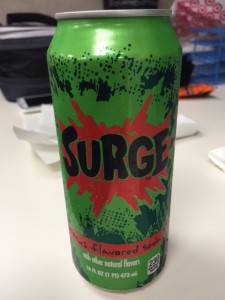
It’s been a long time since my last drink of Surge. Discontinued in the early 2000’s, Surge is now back (at least temporarily) for that retro caffeine kick with the OG recipe. It’s not a reboot or a new flavor. This is straight up Surge.
After 14 years, Surge is more fizzy than I remember. It’s still loaded with sugar, and it still uses the it’s-so-ugly-it’s-glorious logo in green and red. Yup, nostalgia is worth 230 calories.
Signs of Hawaii: No Thrashing
I really don’t know what to make of this sign other than thrashing must really be an issue. This sign was posted all over Simply Halloween, a seasonal store in Windward Mall with great discounts on Halloween-themed items.
To be honest, I don’t know what “thrashing” means in this context, and Urban Dictionary isn’t much help with their definitions. Whatever the case may be, just remember – NO THRASHING!
But now, I am curious what brought on all these signs. I shoulda asked one of the workers about this…
Who Peeked?
Hey, who peeked?!? The boxes at Starbucks explicitly say no peeking until November 12. Today’s still Veterans Day, November 11.
But if your Starbucks did set up their Holiday display just a tad early, it may look like this…

Or you could go to starbucks.com/shop for a preview as well. You can say this much, Starbucks is going all out with its Dot Collection for 2014. I lost count on all the cups, tumblers, and travelers offered, but I am liking the Black Stripes tumbler.
Where to Buy Tiger Sahara Water Bottle Replacement Caps?
Those double insulated, vacuum stainless steel water bottles are so popular right now. You have the HydroFlask, the fashionable Swell, and in the Asian influenced Hawaii, we have the Tiger brand. You’ll see Tiger water bottles commonly at Longs or Marukai.
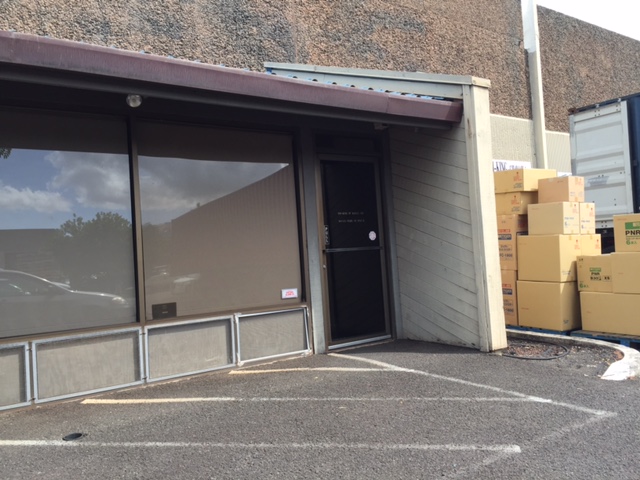
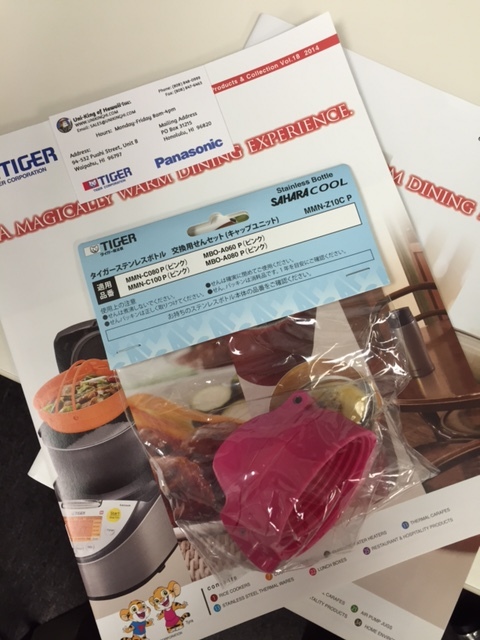
Now that you have a Tiger water bottle, where can you get replacement parts for it? Like the cap unit, what happens if this breaks? Searching online doesn’t yield much. In Hawaii, you go local and head to Uni-King in the Waipio area down from the Waipio Costco, nearby Zippys. As the only local Tiger distributor on island, you can pick up replacements parts or get repairs done for any Tiger equipment.

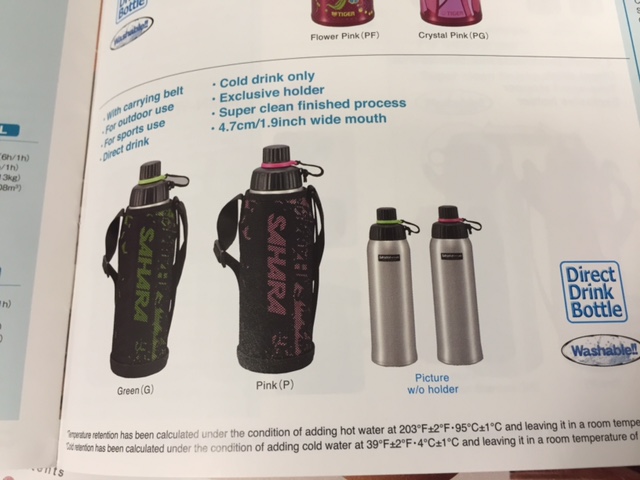
I got a replacement cap that fits the Sahara Cool in 0.6, 0.8, and the 1.0L bottles. They have caps in different colors too (black, pink, white, off-pink, and a black with shiny blue). The replacement costs $10 and includes the gasket seals (which you can also purchase separately if that’s all you need).
Oh and here’s a pre-Black Friday tip. If you don’t yet have a Tiger water bottle, check out Longs on Black Friday. I hear there’s may be a two-for-one pricing on a certain model. And the caps may be interchangeable with other models.
Saved by Time Machine…Again
Yes, once again, Time Machine has saved my bacon. Of all the features and abilities of Mac OS X, Time Machine by far has to be the most “tangible,” sparing so many users from catastrophic data loss. Or like in my case, sparing me a few times.
And there I was in that familiar position, not seeing my external Western Digital drive power up. Minor problem I thought, just a failed power supply or drive case, I’ll just get a replacement. So I went for the Icy Dock Blizzard that’s highly rated but “ugly as sin.” After extracting the WD drive and enclosing it in the Icy Dock, my Mac wanted to format the supposedly uninitialized drive.
Uh oh. That drive was my photos drive. It contained my master set of iPhoto libraries over the years. Gigs of stuff. Gone.
But there was Time Machine (on a separate Seagate external drive), retaining a full copy of those gigs of photos. Overnight, I restored a replica of the data onto another Seagate drive. Whew!
On a related note, I also checked my off-site storage with BackBlaze. I couldn’t find a backup of this particular external drive. Then it dawned upon me. About a month ago, the BackBlaze software kept warning me that one file on my photos drive couldn’t finish the backup process. In a move of pure dumbness, I removed the drive from BackBlaze’s service to silence the error message. By doing so, I also (inadvertently) told BackBlaze to remove all previous backups of the drive. I’ve since corrected this configuration mistake.
Now, I’m highly considering a third arm of my backup strategy to include cloning with Super Duper or Carbon Copy Cloner. Normally, I’d use this type of cloning software to make bootable drives, but now, I’m considering scheduling the cloning of my photos drive to another external drive. So then, I’d have a local Time Machine backup, an offsite backup with BackBlaze, and a clone of my photos. Oh wait, Amazon Prime is now offering unlimited cloud-based photo storage. Hmmm, four backups should be enough, right?
Another i3
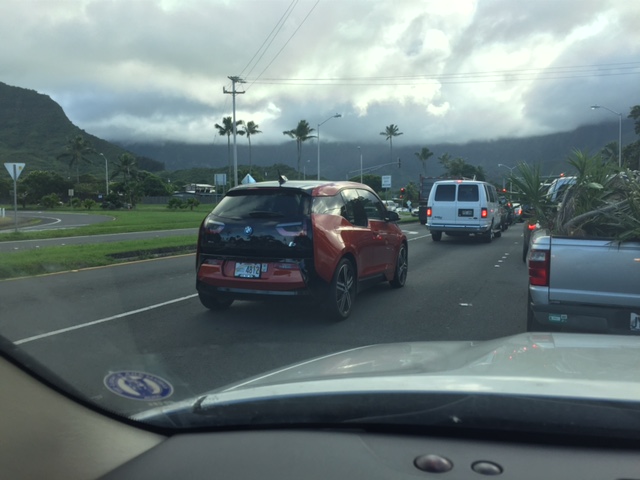
Spotted another BMW i3 electric vehicle, but this time it wasn’t parked.
The i3’s wheels are like discs or kinda look like supped up spare tires.
Ignorance and Laziness Defeats a Backup Plan
Let it be known that even well-intentioned file backups can be defeated by plain old ignorance and laziness. I’m learning this first hand, waiting to take care of a hard drive issue that’s now bordering catastrophic. Why did I remove the drive from BackBlaze? Hoping Time Machine saves my bacon yet another time.
Why oh why, Western Digital???
Two Weeks with the Mio MiVue 388
After two weeks of driving with the Mio MiVue 388 in-vehicle digital video recorder, I have seen the automotive industry’s accessory of the future. I have no doubt that soon enough, every vehicle on the road will be equipped with cameras.
[box type=”info” style=”rounded”]Disclosure: I was loaned a Mio MiVue 388 from FUSH Enterprises to review. No strings attached other than just try it out and say what I thought about the product.[/box]
What is the Mio MiVue?
Simply, the Mio MiVue is a “dashcam,” or a video recorder mounted on the inside of a vehicle’s windshield. Forward facing, the MiVue records a wide angle view, and there’s not much more to it. As long as you’re driving, the MiVue is saving what’s happening in front of your car. You get it? No? Then let the Click Chick, Allison Young, explain it to you in her Midweek Lifestyle column.
Designed for Driving
Don’t think the MiVue is just any mounted video recorder. This isn’t a GoPro or smartphone mounted inside your car. The MiVue was designed for driving. It’s compact with a simple setup and intuitive controls. Initially, I thought the MiVue had a touchscreen but smartly, there are four hard buttons instead. Imagine trying to set controls on a GoPro or iPhone in a moving car. Just too dangerous, but the four hard buttons are a perfect balance of controls.

The MiVue was meant to be unobtrusive, not needing undue attention from you the driver. As soon as you start your car, the MiVue begins recording. The HD videos are clipped every five minutes, so you don’t have to scan through one gigantic video stream. Storage is provided by a micro SD card (up to 32 GB). When storage capacity is low, older video clips are recycled to make space for newer recordings (except for emergency recordings, see below). The MiVue’s rechargeable battery is charged from the ubiquitous cigarette lighter using the included long mini USB cable. GPS coordinates and motion sensor data is overlaid with the video, providing details of driving conditions. But you don’t have to know any of this, the MiVue is designed to take care of it all.
Mio MiVue in Action
Let’s take a look at the Mio MiVue 388 in action.
[youtube https://www.youtube.com/watch?v=PQjVoDqop2k]
Just a note about that simulated emergency recording at the 0:21 mark. I learned of the MiVue’s emergency recording feature when my MiVue accidentally dislodged after hitting a bump in the road. Any sudden motion (like a car collision) activates an emergency recording that is retained until explicitly deleted – a well thought-out feature.
Before the Future
Overall, the Mio MiVue 388 is a solid product, but before we get to the future, there are some things to address in the present.
More Retention. By default, the MiVue records videos at 1080p quality which makes for clear and crisp movies that are very large. Even with a 32-GB microSD card, less than one week of video can be retained. This is for typical to-and-from-work commutes. So if you need to retrieve a video clip, be prompt about it. It’d be better if at least one week’s worth of video could be retained.
No WiFi Streaming. To watch the recordings, you have the option of using the built-in screen, extracting the video from the SD card, or connecting an HDTV to the MiVue’s HDMI port. I kind of wish the MiVue included a streaming WiFi option similar to the GoPro where you can wirelessly stream the recorded video to another device’s (larger) screen. But this is a “nice to have” that will compromise battery life.
Dark 720p Video. To reduce file size, I scaled back video quality dropping to 720p (the only other available option). Oddly, the video recorded was very dark. I didn’t do extensive testing, so I’m purely guessing that some firmware tweaks are needed to improve light pickup in 720p mode.
Software and Installation. On the software side, Windows is apparently the supported platform with the software supplied on a mini CD. Now, here’s my personal dilemma. I run Mac OS X, not Windows. However, I have Parallels Desktop letting me run Windows virtually. But I also have a MacBook Air without an optical CD drive. I do have an external optical drive that’s slot loading. Mini CDs need tray-loading mechanisms, playing havoc with slot loaders. I managed to find a Windows machine with a tray-loading CD burner and transferred the MiVue software to a regularly sized CDR. A standard size CD fits in the MiVue box so I don’t see why even bother with a mini CD?
Then during the software installation, I got this error.
Searching Google yielded this first search result. The solution is to download the latest MiVue Manager software (which I could not previously find online), and as a bonus, there are download links for Windows and Mac OS X! Not all the features are currently available on the Mac version though, but in my testing, the Mac OS X version works just fine. You can see the GPS and sensor information overlaid on the recordings and can also save image stills and recorded videos.
Current Uses and the Future
While the dashcam has caught on in some parts of the world, it isn’t globally popular. Sure a dashcam is cool for lifestreaming purposes to show yet another aspect of your day. You could probably make some fun time lapse videos of your commute or capture random tidbits that happen out of the blue (when’s the last time you saw a marching band going down the street with cars driving by?). Of course, in Hawaii, there’s always that gorgeous scenery you wish you could capture and take with you. Heck, if I were a driving instructor, I would record every student’s first time out on the road and present them with their video at the end of their instruction. But typically, the dashcam has been used to record evidence of vehicular mishaps, usually intentionally caused by others for insurance shenanigans. So other than self-protection, why should an in-car camera be part of the automotive accessory’s future? Because it’s already happening.
Rear mounted cameras that assist while reversing have been popular for years, and more recently, self parking vehicles use cameras to guide their parking maneuvers. Now look at the recently announced Tesla Dual Motor Model S with Autopilot. Along with radar and sensors, the Dual Motor Model S has a forward looking camera to provide a safer driving experience. Safer is good, and maybe one day, self driving cars will be a reality (or maybe not).
Take this a few years out. Of course privacy concerns are a big issue, but just imagine if all these in-car cameras could be tapped into collectively when needed. A vast search grid could be created wherever there’s a vehicle. An Amber Alert for missing children would have more eyes on the lookout. With recorded videos, unsolved crimes could get new leads.
We are already witnessing the gradual proliferation of in-car cameras. Why not be part of this future with the Mio MiVue?
Where to Get a MiVue
In Hawaii, contact FUSH Enterprises for information on how to get your own Mio MiVue.
- Phone: 808-227-9975
- Email: fushenterprises@gmail.com
Other MiVue 388 Reviews
- Mio MiVue 388 Drive Recorder review (TrustedReview)
- Your last line of on-road defence (TechRadar)
- On The Road To Test The Mio MiVue 388 Dash Cam (Midweek)
More Mio MiVue Media
Russian greetings
Swell Bottles Now at Starbucks Hawaii

Swell bottles are stainless steel and double insulated like many others out there and keep drinks hot or cold for 24 hours. So what’s the big deal about Swell? It’s gotta be the fashion aspect. Yes, they do look swell. I thought the cover color should have been more Starbucks green but still this is a nice looking bottle. Worth $35 I’m not sure, but because of its stylish looks, usefulness, and branding, I’m thinking these will sell well for the upcoming holiday season.
Okay, okay, so I complained that Hawaii got oat cakes instead of online pre-ordering and the Chestnut Praline Latte, but I will admit that this Hawaii-specific item is pretty and cool.